Financial Reporting
Your reporting pack, already built. Every figure traced to the ledger.
Rebase reads your ledger, ties the statements, explains what moved and builds the workbook, commentary and deck, so your team reviews the month instead of assembling it.
- Audited to SOC 2 Type I and II
- Every figure traced to its source
- Every file checked before delivery
Reporting by hand
The month is closed. The reporting has barely started.
Finance teams export the trial balance, rebuild last month's workbook, chase the reason behind every variance, and paste it all into slides.
By the time the pack is ready the numbers have moved, and nobody can say for certain where one of them came from.
Illustration: a management pack workbook for March 2026 carried forward by hand, with revenue of 8,412,600 but operating expenses and operating profit showing a broken-reference error, and a sticky note asking whether the link broke when the file was rolled forward. The pack is rebuilt by hand every month
Export the trial balance, paste it into last month's workbook, and repair the links that broke on the way.
Illustration: three March 2026 variances waiting on an explanation: travel up 65.4% with no reply from Sales, cloud hosting up 30.5% with Engineering still checking, and contractors up 31.6% with nobody asked yet. Every variance is chased by email
Someone asks each budget owner why their line moved, waits for the reply, and writes it up.
Illustration: a board deck built before a late entry, still showing operating expenses of 3,290,000, beside a re-run trial balance showing 3,340,000: the deck is out by 50,000. The numbers move after the deck is built
A late entry changes the ledger, and every chart and slide built from the old export is now wrong.
Illustration: a workbook cell holding operating expenses of 3,340,000 as a typed-in value with no formula behind it, and a sticky note asking which export it came from. Nobody can say where a number came from
Months later, the figure on the slide is a typed-in value in a workbook, and the export behind it is gone.
Reporting with Rebase
A pack that is built, tied and sourced before you open it.
100%
Every figure sourced
Each number carries its period, entity and the report or record it came from, and whether that period is still open.
0.00
Left out of balance
Statements are cross-footed before they are reported. A tie that fails is reported as a finding, never rounded away.
0
Explanations without evidence
A variance is explained from the entries behind it. What the records do not explain is shown as unexplained.
4
File formats, each one checked
Excel, Word, PowerPoint and PDF. Workbooks are recalculated and every file is checked before it reaches you.
How it works
From the ledger to the finished pack.
Rebase reads the statements, explains what moved and builds the files. Your team reviews the numbers and decides what they mean.
Statements
The statements, read straight from your ledger
Rebase reads the income statement, balance sheet, cash flow and trial balance for the exact entity and period, then cross-foots them before a single figure is reported.
- Uses the exact accounting period
- The balance sheet and subledgers tie first
- An open period is flagged as still moving
March 2026 reporting packGroup · USD- Income statement1–31 Mar 20261,000,900Operating profitTies to TB
- Balance sheetAs of 31 Mar 202624,618,300Total assetsBalances
- Cash flow statement1–31 Mar 2026+412,700Net change in cashTies to cash
- Aged receivablesAs of 31 Mar 20261,642,300Open balanceTies to 1200
Illustration: the Group's March 2026 reporting pack in Rebase. The income statement for 1 to 31 March shows operating profit of 1,000,900 and ties to the trial balance; the balance sheet as of 31 March shows total assets of 24,618,300 and balances; the cash flow statement shows a net change in cash of 412,700 and ties to cash; aged receivables show an open balance of 1,642,300 and tie to control account 1200. A chip shows March is closed and its figures are final. Variance
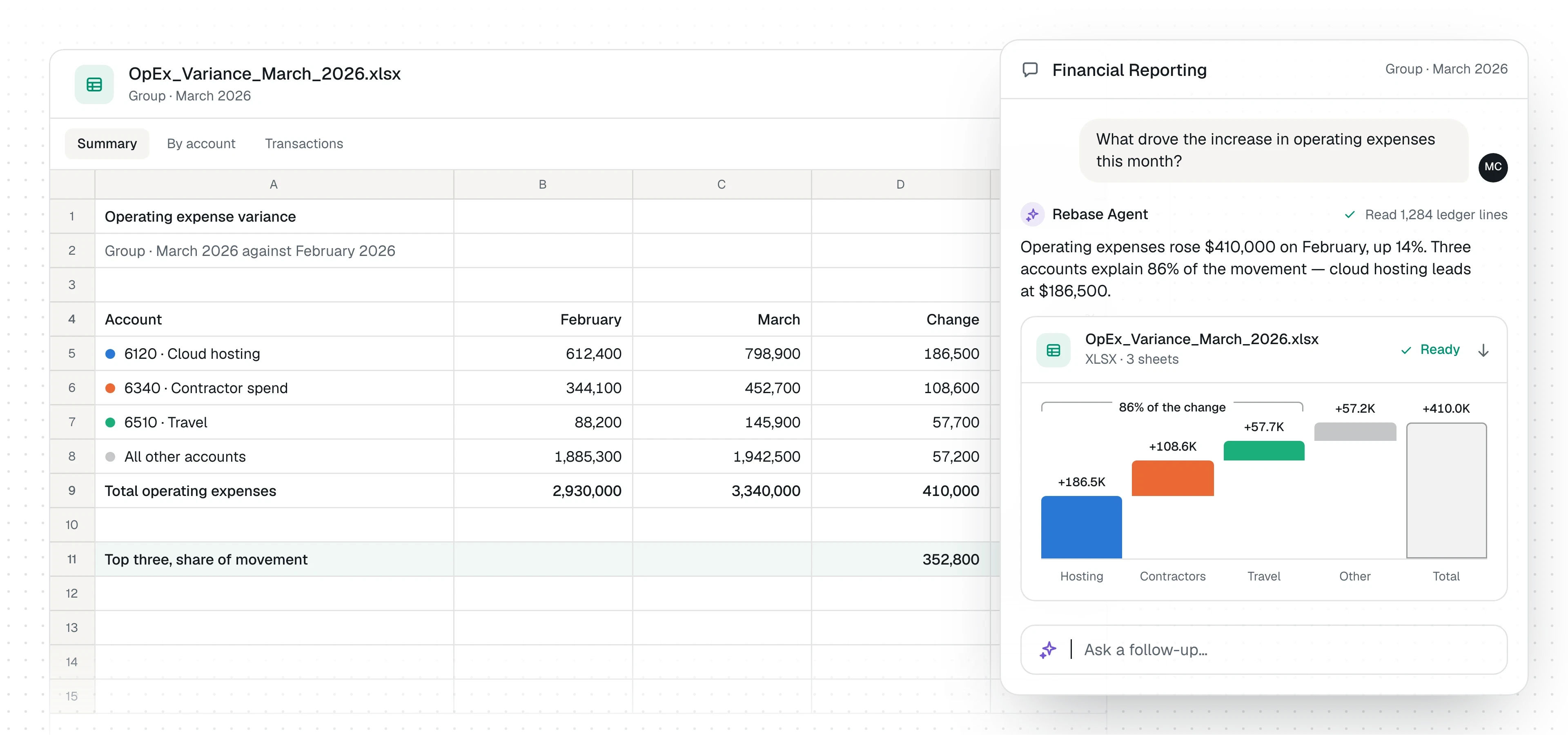
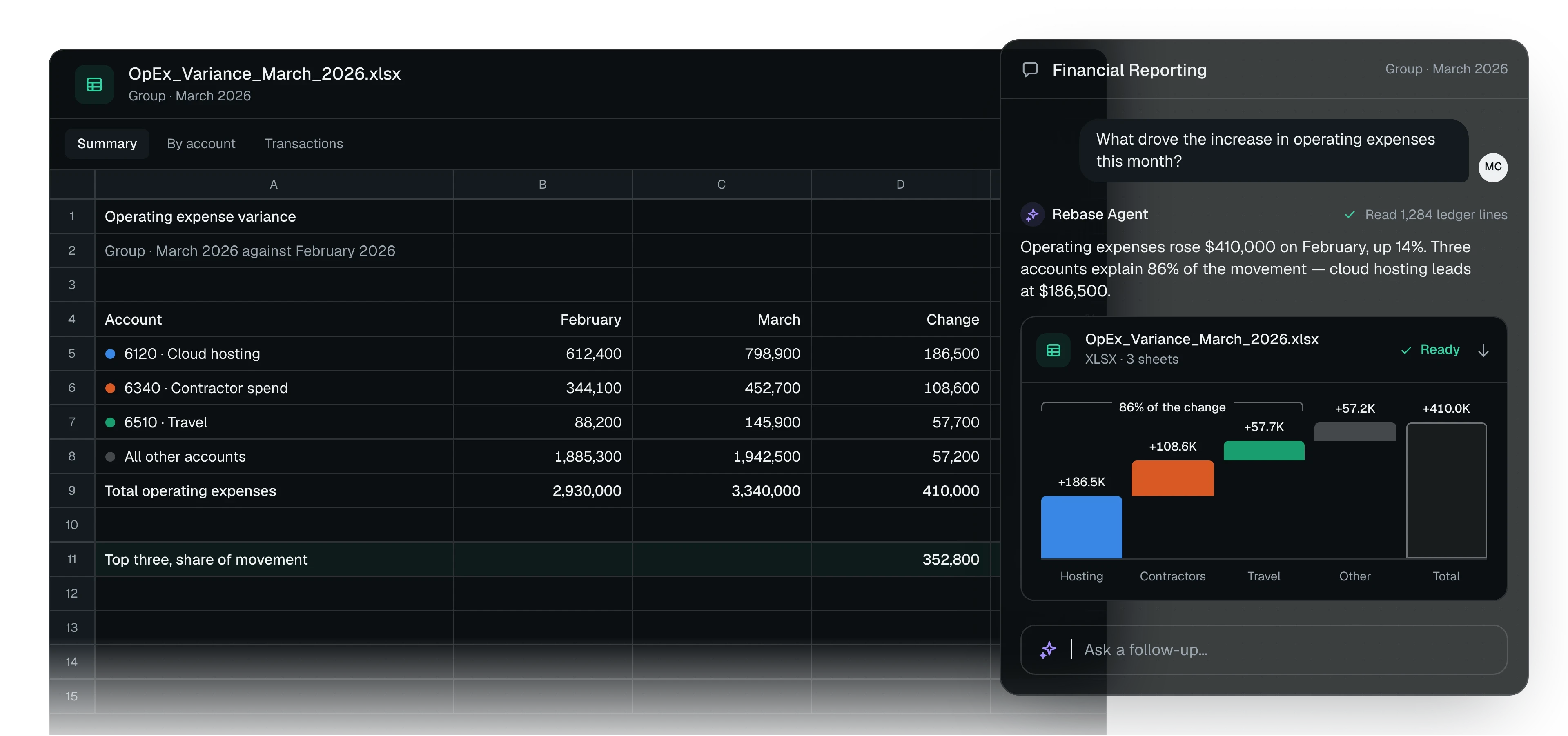
What moved, ranked and explained from the entries
Rebase computes every variance, ranks them, and drills into the accounts and entries behind each one. What the records explain is quantified. What they do not is left visible.
- Compares like-for-like periods
- Drivers traced to entries and documents
- The unexplained remainder stays on the page
Operating expensesMarch against February- 6120 · Cloud hosting+186,50030.5%
- 6340 · Contractor spend+108,60031.6%
- 6510 · Travel+57,70065.4%
- All other accounts+57,2003.0%
- Total operating expenses+410,00014.0%
Illustration: operating expenses for March 2026 against February in Rebase. Cloud hosting rose 186,500, contractor spend 108,600, travel 57,700 and all other accounts 57,200, a total of 410,000 or 14.0%. Drivers · 6120 Cloud hosting
- AWS invoice 7741-0326+142,000
- Datadog annual renewal+29,300
- Unexplained+15,200
Explained 171,300 of 186,500 · 91.8%
Illustration: the drivers Rebase Agent found behind cloud hosting's 186,500 rise. An AWS invoice of 142,000 and a Datadog renewal of 29,300 explain 171,300, which is 91.8%, and 15,200 is left unexplained. Pack
The workbook, the commentary and the deck
The same analysis becomes an Excel workbook with working formulas, a Word commentary, a PowerPoint deck with native charts or a PDF, in your house style.
- Workbooks are recalculated before delivery
- Starts from your own template or last month's file
March 2026 pack
- Management_Pack_March_2026.xlsx6 sheets · 214 formulas
- Commentary_March_2026.docx4 pages
- Board_Finance_March_2026.pptx9 slides · 5 charts
Illustration: the three files of the March 2026 pack in Rebase, a management pack workbook, a commentary document and a board deck, each checked, with a chip showing the workbook recalculated with no formula errors. Review
Every figure opens onto its source
Each number carries its period, entity and the report or record it came from, so a reviewer can check a figure without rebuilding it.
- Computed and assumed values are labelled
- Corrections are proposed for your approval
Operating expenses$3,340,000.00- SourceIncome statement
- EntityGroup
- Period1–31 Mar 2026
- Period statusClosed
Read from Business Central · 2 Apr 2026, 09:14
Illustration: one figure from the March 2026 pack opened onto its source in Rebase: operating expenses of $3,340,000.00, from the income statement, for the Group, 1 to 31 March 2026, period closed, read from Business Central. Checked a second wayVerifiedRe-derived from 1,284 ledger lines: 3,340,000.00. It matches the statement.
Illustration: the same figure checked a second way by Rebase Agent, re-derived from 1,284 ledger lines, and verified.
The reporting cycle
Set the pack once. Review it every month.
Tell Rebase what your reporting includes. Each period it rebuilds the pack from the ledger, and your team reviews the numbers instead of assembling them.
- Once
Define the pack
Name the reports, entities and comparisons, or hand Rebase last month's pack to follow. Your definitions and house style carry forward.
- Each period
Rebase builds it
It reads the statements live, computes the variances, drills into the entries and drafts the commentary.
- Before delivery
Everything is checked
Statements are cross-footed, formulas recalculated and every file verified. Anything that does not tie is listed, not hidden.
- Your review
Your team decides
Read the pack, open any figure to its source, and ask for changes. Each revision is a new version of the same file.
Built around your reporting
Whatever your pack includes, Rebase builds it.
Every finance team reports differently. Rebase handles the statements, the variance analysis, the commentary and the rest of what your pack contains.
Bring your templates, definitions and thresholds. Rebase follows the reporting your team already does.
Management pack
Statements, variances and commentary together
Income statement
For the period, by entity
Balance sheet
As of the period end, cross-footed
Cash flow
Movement for the period, tied to cash
Trial balance
Movement and balance by account
Variance analysis
Against the prior period or prior year
Budget against actual
Where your budget lives in a connected system or a file
Aged receivables
Who owes you, and how late
Aged payables
Whom you owe, and how late
Spend analysis
By account, vendor or department
Board reporting
Charts and commentary for the finance section
Other reports
Whatever else your pack includes
Works with your stack
Your systems stay. Rebase reads across them.
Rebase connects to the ERP, warehouse and CRM your numbers already live in, and queries each one when a report needs it.
Nothing is synced or copied into a separate store. Your ERP remains the system of record.
 Income statement
 Profit and loss
 Warehouse queries
- Balance sheet
 Trial balance
 Opportunities
- Cash flow statement
- Trial balance
 Database queries
- Trial balance
- Aged receivables
 Database queries
- Aged receivables
- Aged payables
- Tables and columns
- Ledger entries
- Journal items
- Accounts
Built for control
Prepared by Rebase. Owned by finance.
Rebase reads the ledger, builds the analysis and drafts the pack. Your team decides what the numbers mean and what goes out.
Every figure carries its source
The period, entity and source report are stated with each number.
Nothing is forced to tie
A tie that fails, or a variance the records do not explain, is reported as a finding, never smoothed over.
Reporting does not change your books
If the analysis finds an error, Rebase proposes the correction. Nothing posts without your approval.
Every run stays on the record
The queries, calculations and file checks behind a report are traced, step by step.
Enterprise security
Built for finance data from day one.
Rebase is built for sensitive financial data, with controlled access, auditability, and enterprise-grade infrastructure.
Read the security page- SOC 2 Type I and Type II
- Encryption in transit and at rest
- Role-based access and permissions
- Deployment and data residency options
Questions
The questions we get asked first.
What does Financial Reporting do?
Rebase builds your management reporting from the ledger. It reads the statements, explains what moved from the entries behind it, and produces the workbook, commentary and deck for your team to review.
Where do the numbers come from?
From your own systems, read live when the report is built. Each figure states its period, entity and the report or record it came from.
How do we know a figure is right?
Every figure comes from a record Rebase read or a calculation it ran, and it says which. Statements are cross-footed first, and a tie that fails is reported rather than rounded away.
What can it produce?
Excel workbooks with working formulas, Word documents, PowerPoint decks with native charts, and PDFs. Each file is checked before it is handed over.
Can it follow our existing pack?
Yes. Give Rebase last month's workbook, document or deck and it builds from that file, so your layout, styles and structure carry over.
Can it report against budget or forecast?
Yes, where the budget or forecast lives in a connected system or a file you add. Rebase says where each comparison came from, and never invents a baseline it was not given.
Does Rebase change anything in our ledger?
No. Reporting only reads. If the analysis finds an error, Rebase proposes the correction with its support, and nothing is posted without your approval.
What happens when a variance cannot be explained?
Rebase shows how much of the movement the records explain and leaves the rest as unexplained. It does not offer a cause it did not read off a record.
See it build your own pack.
Bring last month's management pack. We'll walk through what Rebase would have built, what it would have flagged, and what it would have left for your team.