Accounts Payable
Every supplier invoice checked before it's recorded.
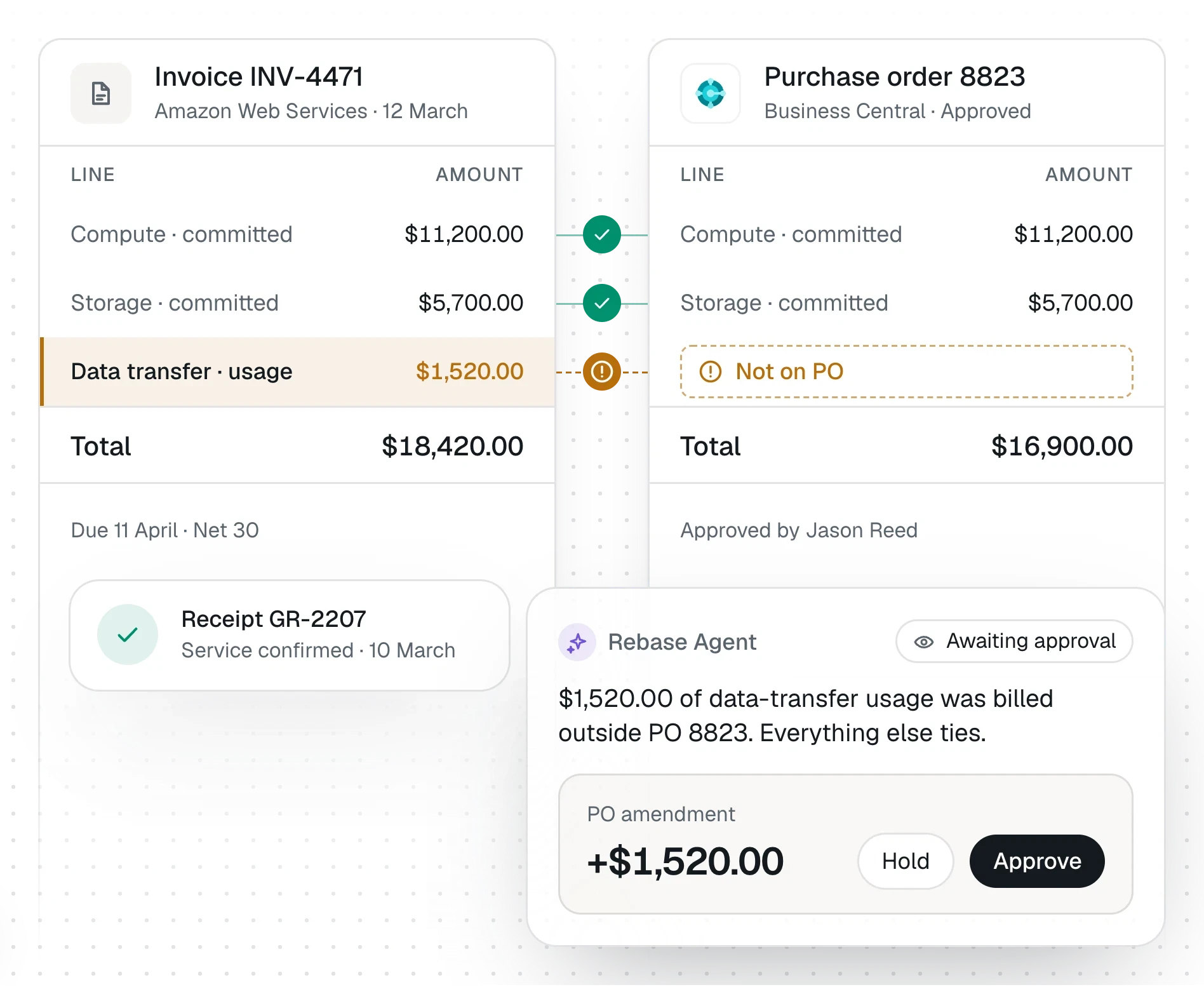
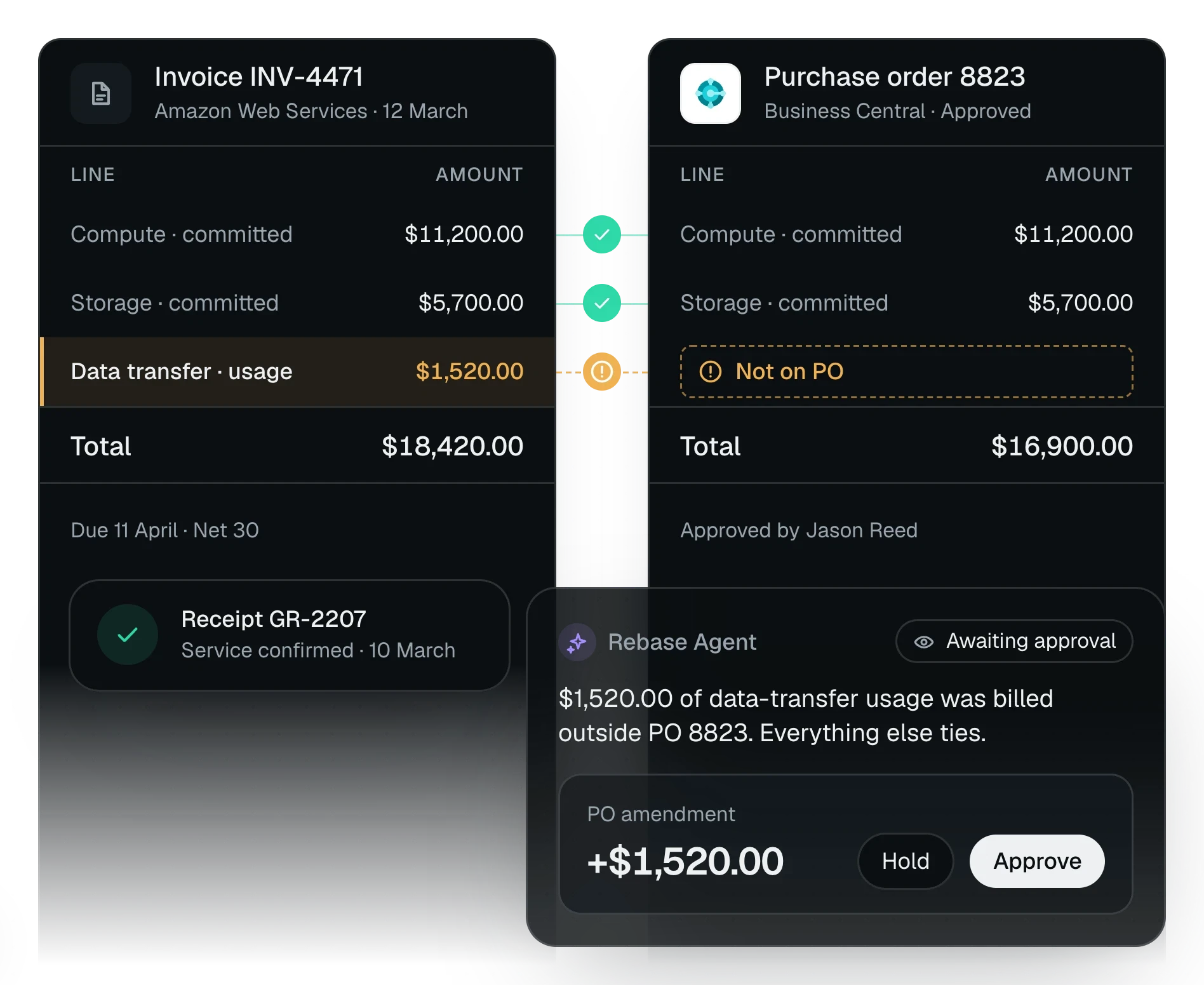
Rebase reads invoices as they reach your AP inbox, checks each one against the vendor, the purchase order and the ledger, and records it once your team approves. It never pays.
What it does
The checks your AP team runs by hand, on every invoice.
Invoices from the inbox
Reads PDFs, scans and invoices typed into the email as they arrive. No email is worked twice.
Checked against the ERP
Confirms the vendor exists and isn't blocked, the purchase order is theirs with room left, and the currency matches.
Duplicates and fraud signs
Catches an invoice that's already been entered, and flags lookalike senders and changed bank details.
Arithmetic, to the cent
Re-adds every line and total. A check it couldn't run is reported as not checked, never as a pass.
Recorded once approved
Creates the bill as a draft, reads it back, and posts it only after your team approves each step.
Period-end AP reviews
Reviews AP aging for unrecorded liabilities, vendor credits and prepayments, and employee and card spend.
How it works
From the inbox to the ledger, on your approval.
Rebase does the checking. Your team decides what gets recorded, and paying stays with you.
An invoice arrives
Rebase picks it up from the AP mailbox and reads it, scanned or not.
Rebase checks it
Vendor, duplicates, purchase order, currency and arithmetic, with anything it couldn't check said plainly.
Your team reads the result
A clean invoice is ready to record. A flagged one leads with what failed and why.
Approve, and it's recorded
The bill is drafted, checked, then posted, each step on an approval. Payment stays with your team.
Works with your stack
Reads your inbox and ERP. Records only what you approve.
Invoices come in through Gmail. Approved bills are recorded in Business Central; the rest of your AP stack is read only.
Skills it follows
- Supplier invoice check Checks a supplier invoice against the ERP before it's paid.
- Supplier invoice recording Enters a checked invoice in the accounting system, once approved.
- Invoice set reconciliation Matches two invoice lists that should agree and explains every gap.
- AP aging review Reviews AP aging and searches for unrecorded liabilities.
- Vendor debit balances Reviews vendor credits, deposits and prepayments.
- Expense review Reviews employee expenses and corporate card activity.
Systems
 Business CentralReads & writes
 QuickBooksReads
 OdooReads
 RampReads
 BrexReads
 BILLReads
 GmailReads
Questions
The questions we get asked first.
Does Rebase pay invoices?
No. It checks invoices and records them once approved; payment stays with your team. It doesn't reply to vendors or send email either.
Which systems does it work with?
It reads invoices from Gmail and records approved bills in Business Central. QuickBooks, Odoo, BILL, Ramp and Brex connect for reading.
What if an invoice can't be read, or a check can't run?
Rebase says so. An unreadable file, or a check it couldn't complete, is reported as not checked and never counted as a pass.
Who approves what gets recorded?
Anyone with approval rights except the person who asked for it. Each approval covers that exact bill and can only be used once.
See Rebase work through a finance process that matters to your team.
Tell us where the work gets stuck. We’ll walk through how Rebase could help.